I am learning flutter from JustAcademy, They provide very much great environment where people gather and work simultaneously. totally project based training institute.
MOHD ABU BAKAR ANSARI
Flutter Developer
Awesome Experience. I am a Front-end Web Designer working at Star India for 3 years now. I applied for Full-stack development and my experience has been phenomenal & they really do help with placements exceptionally. Thank you Roshan sir so much.
Learn how React Native enables building apps for Android and iOS using a single codebase
Imagine writing one codebase and deploying it to both the Apple App Store and Google Play Store simultaneously — reaching billions of iOS and Android users with a single development effort. No separate Swift team for iOS. No separate Kotlin team for Android. One language, one framework, two platforms.
This is the promise of cross-platform mobile development — and in 2026, React Native is one of the most powerful, widely adopted, and professionally relevant frameworks making that promise real.
React Native powers some of the most used apps in the world — Facebook, Instagram, Microsoft Outlook, Shopify, Discord, Pinterest, Bloomberg, and thousands of other production applications that collectively serve hundreds of millions of users daily. It is backed by Meta (formerly Facebook), maintained by one of the most active open-source communities in mobile development, and is actively used and endorsed by top-tier technology companies globally.
But what exactly is React Native? How does it actually run JavaScript on a phone? What is the difference between React Native and a simple web app wrapped in a mobile container? Why do companies choose it over native Android and iOS development? And how do you get started — especially if you already know JavaScript or React?
This complete guide answers every question a beginner has about React Native and cross-platform mobile development in 2026 — covering the architecture, the ecosystem, the career opportunities, and the exact learning path from zero to your first published mobile app.
JustAcademy offers both Online and Offline React Native training with live projects, expert mentors, recognized certification, and 100% placement support. 👉 Book your FREE demo session | Download Course Brochure
What is React Native?
React Native is an open-source cross-platform mobile application development framework created by Facebook (now Meta) in 2015. It allows developers to build native mobile applications for both iOS and Android using JavaScript and React — the same programming language and component-based UI paradigm used to build web applications.
The word "native" in React Native is not marketing language — it is technically accurate and critically important. React Native apps do not run inside a browser or WebView like Cordova or Ionic hybrid apps. React Native renders your application using genuine native UI components — the actual iOS UIView and Android View objects that native Swift and Kotlin apps use. When you write a Button component in React Native, the framework creates a real UIButton on iOS and a real android.widget.Button on Android — not an HTML button rendered in a WebView.
This native rendering is what gives React Native apps their characteristic look, feel, and performance that feels like a true native app rather than a web page in a mobile container.
In simple terms: You write JavaScript and React components → React Native translates them → Native iOS and Android components render on the device
React Native was born from Facebook's internal experiment "Hack Week" in 2013, when engineers explored running React in a mobile context. The initial public release in 2015 supported iOS. Android support followed within months. Since then, it has grown into one of the most comprehensive cross-platform mobile development frameworks available — with Windows, macOS, and web targets also supported through the React Native community.
What is Cross-Platform App Development?
Cross-platform app development is the approach of building mobile applications that run on multiple operating systems — primarily iOS and Android — from a single shared codebase rather than writing completely separate applications for each platform.
The Traditional Native Development Challenge
Before cross-platform frameworks existed, building a mobile app for both iOS and Android meant:
A separate iOS development team writing Swift or Objective-C
A separate Android development team writing Kotlin or Java
Two different codebases, two different architectures, two different test suites
Features needing to be built twice — once per platform
Bugs fixed twice — once per platform
UI inconsistencies between platforms due to independent implementations
Double the hiring cost, double the infrastructure, double the ongoing maintenance
For startups and small teams especially, this dual-team requirement was a significant barrier to mobile app development. Even for large companies, maintaining absolute parity between iOS and Android features was a constant struggle.
The Cross-Platform Promise
Cross-platform frameworks address this by enabling a single codebase that targets both platforms. Developers write once and deploy everywhere — or at least deploy to both major mobile platforms.
In practice, cross-platform development typically achieves 70-90% code sharing — most business logic, API integration, navigation, and UI is written once. The remaining 10-30% handles platform-specific behavior, UI customizations, and native feature integrations that require platform-specific code.
Types of Cross-Platform Approaches
Not all cross-platform frameworks work the same way. Understanding the approaches helps explain why React Native occupies a specific valuable position:
Web-Based Hybrid Apps (Cordova, Ionic): These frameworks wrap a web application in a native WebView container. The app is essentially a web page running inside a browser shell. UI is rendered using HTML, CSS, and JavaScript — not native components. Performance can be noticeably worse than native for animation-heavy or scroll-heavy UIs. Access to native device APIs goes through JavaScript bridge plugins.
Compiled Native Apps (Flutter): These frameworks compile your code to native machine code that renders directly to a GPU canvas — bypassing native UI components entirely. Flutter draws every pixel itself using the Skia/Impeller rendering engine. This produces pixel-perfect visual consistency across platforms but means the UI looks identical on both platforms rather than following each platform's native design language.
JavaScript Bridge Frameworks (React Native original architecture): React Native communicates between JavaScript and native code through a serialized message-passing bridge. JavaScript runs the application logic, React Native bridges commands to create and update native UI components, and native code executes platform APIs. This is React Native's original architecture.
JavaScript Direct Frameworks (React Native New Architecture): The modern evolution — React Native's New Architecture uses JSI (JavaScript Interface) for direct, synchronous communication between JavaScript and native code — eliminating the serialization overhead of the bridge. This is React Native's current direction and the approach that addresses historical performance concerns.
How Does React Native Actually Work?
Understanding React Native's architecture separates developers who can diagnose real performance and integration issues from those who only work within happy-path scenarios. This is a critical senior interview topic.
The JavaScript Engine
React Native runs JavaScript on the device using a JavaScript engine — Hermes by default since React Native 0.64. Hermes is a lightweight JavaScript engine developed by Meta specifically for React Native — optimized for mobile constraints (fast startup time, low memory footprint, small binary size) rather than browser contexts.
Before Hermes became the default, React Native used JavaScriptCore (the engine that powers Safari) on both iOS and Android. Hermes significantly improved React Native app startup time and memory usage compared to JavaScriptCore.
The Original Bridge Architecture
In React Native's original architecture, communication between JavaScript and native code happened through an asynchronous serialized message bridge:
JavaScript code runs on a dedicated JS thread
When the JavaScript needs to create or update a native UI component, it serializes a message describing the operation to JSON
The bridge transfers the serialized message to the native thread
Native code deserializes the message and executes the corresponding native operation
If the native operation produces a result (like user input), the process reverses
This bridge architecture worked well for most scenarios but had weaknesses: serialization overhead for frequent, fine-grained operations; asynchronous communication making synchronous operations (like directly reading a gesture event) impossible; and the potential for UI thread blocking when the JS thread was busy.
The New Architecture (JSI + Fabric + TurboModules)
React Native's New Architecture, which became stable with React Native 0.73+ and is now the default recommendation, fundamentally redesigns the communication layer:
JSI (JavaScript Interface) replaces the serialized message bridge with a direct C++ binding. JavaScript can call native C++ functions synchronously — no serialization, no async queuing. This enables:
Synchronous communication between JavaScript and native code
Direct JavaScript host objects that can hold and execute native code
Significantly reduced overhead for frequent native interactions
Fabric is the new rendering system built on JSI. It redesigns how React Native creates and updates native UI components — using a three-tree architecture (similar to React's reconciliation in web) that enables concurrent rendering, priority-based updates, and synchronous layout measurements.
TurboModules replace the legacy NativeModules system. TurboModules are lazily loaded — only initialized when first accessed, rather than all at startup. This significantly reduces app startup time for apps using many native modules.
The practical impact for developers in 2026:
New Architecture is enabled by default in new React Native projects. Apps using New Architecture have meaningfully better performance for animations, gestures, and frequent native interactions. Understanding the New Architecture is expected from any experienced React Native developer.
React vs React Native — The Relationship
If you already know React for web development, learning React Native is one of the fastest paths to mobile development available. Understanding the relationship between React and React Native helps set clear expectations.
What is the Same
React's component model. Functional components, hooks (useState, useEffect, useContext, useMemo, useCallback, custom hooks), props, state — all identical between React web and React Native. Every React concept transfers directly.
JSX syntax. The XML-like syntax for describing component UI is the same in both.
State management approach. Redux, Zustand, Jotai, MobX, Context API — all the same state management libraries and patterns work in React Native as in React web.
JavaScript ecosystem. npm packages, ES modules, async/await, Promises, destructuring — all JavaScript you know works in React Native.
React lifecycle and hooks. All React hooks work identically in React Native. Custom hooks that contain logic (not DOM-specific API calls) are portable between web and native.
What is Different
HTML elements are replaced by React Native components. In React web, you use HTML elements — div, p, span, input, button, img. In React Native, you use React Native's components — View (equivalent to div), Text (equivalent to p and span), TextInput (equivalent to input), TouchableOpacity or Pressable (for touchable elements), Image.
CSS styling is replaced by StyleSheet. React Native uses JavaScript style objects (StyleSheet.create()) rather than CSS. Most CSS properties work with camelCase names (backgroundColor instead of background-color), but React Native uses flexbox for all layout — by default, flex direction is column (not row as in web CSS). There are no CSS classes, no CSS selectors, no cascading inheritance.
Browser APIs do not exist. document, window, localStorage, XMLHttpRequest as browser APIs, DOM manipulation — none of these exist in React Native. Use React Native's AsyncStorage, Fetch API, and React Native-specific APIs.
Navigation is handled differently. Web navigation uses URLs and the browser history stack. React Native navigation uses libraries like React Navigation or Expo Router — stack navigation, tab navigation, drawer navigation — with native feeling transitions.
Platform-specific code is needed for some features. Camera, push notifications, file access, biometrics, location — each requires platform-specific configuration and often a native module integration.
The productivity implication for JavaScript/React developers:
A proficient React web developer can become productive in React Native in 2 to 4 weeks — focusing the learning on the component library differences, StyleSheet, React Navigation, and native API integration. This rapid onboarding is one of React Native's key competitive advantages over native iOS (Swift) and Android (Kotlin) development for teams with existing JavaScript expertise.
The React Native Ecosystem in 2026
Expo — The Recommended Starting Point
Expo is a platform built on top of React Native that provides a managed development environment, a rich library of pre-built native modules, and streamlined development tooling. Expo has become the recommended starting point for new React Native projects — including by the official React Native documentation.
What Expo provides:
Expo SDK — a curated library of native modules covering camera, location, notifications, contacts, file system, audio, video, sensors, and dozens of other device capabilities — all pre-built, pre-configured, and cross-platform. Most apps never need to write custom native code when using Expo SDK.
Expo Router — a file-based routing system for React Native that brings the URL-based navigation paradigm from web development to mobile. File structure mirrors navigation structure — app/home.tsx is the home screen, app/profile/[id].tsx is a dynamic profile screen. Expo Router supports deep linking, web URLs for universal links, and tab/stack navigation.
Expo Go — a development client app installed on a physical device. Point it at your development server and see your app running on a real iPhone or Android without compiling and installing a full app. Dramatically speeds up the development-test cycle.
EAS (Expo Application Services) — cloud build services (EAS Build) that compile your React Native app to APK/AAB (Android) and IPA (iOS) in the cloud — even from a Windows computer without a Mac. EAS Submit automates the Play Store and App Store submission process. EAS Update delivers over-the-air JavaScript updates without App Store review.
Expo's managed vs bare workflow:
Expo's managed workflow handles all native configuration automatically — you never touch Android Studio or Xcode. This is ideal for apps that only use Expo SDK capabilities. The bare workflow (expo eject or expo prebuild) generates the full native project for apps that need custom native modules.
React Navigation
React Navigation is the most widely used navigation library for React Native — providing stack navigation, tab navigation, drawer navigation, and modal navigation with native-feeling animations. It integrates with deep linking, Expo Router, and TypeScript.
Understanding React Navigation's core concepts — navigators, screens, navigation props, route params, nested navigators — is fundamental knowledge for any React Native developer.
State Management
The React Native ecosystem uses all the same state management solutions as React web:
useState + useReducer + Context — sufficient for small to medium applications with moderate state complexity.
Redux Toolkit — the most widely used state management library for larger applications. Redux Toolkit dramatically reduces Redux boilerplate while maintaining Redux's predictable state container pattern. A react native course with redux training covers Redux Toolkit integration comprehensively.
Zustand — a lightweight, minimal API state management solution growing rapidly in the React Native community. Its simplicity compared to Redux makes it popular for medium-complexity apps.
Jotai, Recoil — atomic state management libraries. Jotai's small bundle size is particularly valuable in mobile contexts.
Firebase and React Native
Firebase integration for React Native is one of the most important skills in any react native course with firebase training. The React Native Firebase library (rnfirebase.io) provides comprehensive Firebase SDK integration:
Authentication — email/password, Google Sign-In, Apple Sign-In, phone authentication — all with React Native-specific UI flows and native authentication dialogs.
Firestore — real-time cloud database with React Native SDK supporting onSnapshot listeners for real-time UI updates.
Cloud Storage — file upload and download with progress tracking.
Cloud Messaging — push notifications on both iOS (through APNs) and Android (through FCM) with a unified React Native API.
Crashlytics — production crash monitoring.
Firebase + React Native is a complete full-stack mobile development stack that enables building production-quality apps without building or maintaining backend infrastructure.
React Native vs Flutter — The Cross-Platform Comparison
The most common comparison question when considering React Native is: should I use React Native or Flutter? Here is an honest, technical comparison:
Language: React Native uses JavaScript/TypeScript — the most widely known programming language in the world. If you already know JavaScript (or even web development), React Native has the lowest barrier to entry.
Flutter uses Dart — a modern, clean language that is easier to learn than most but is not used outside Flutter contexts. Learning Flutter means investing in a language specifically for Flutter.
Rendering approach: React Native renders genuine native UI components — iOS UIKit components on iPhone, Android View components on Android. Your app looks and feels like a native app that follows each platform's design conventions.
Flutter renders everything itself using its own graphics engine (Impeller/Skia) — drawing every pixel to a canvas. Apps look pixel-perfect and visually consistent across platforms, but they look identical on both platforms rather than following each platform's native style.
Performance: Flutter's direct GPU rendering produces smoother animations for visually complex, custom-animated UIs. React Native's New Architecture closes the performance gap significantly — modern React Native apps are smooth and performant for the vast majority of use cases.
Ecosystem: React Native's JavaScript ecosystem is enormous — virtually every JavaScript library can be used (with some caveats for DOM-specific APIs). Flutter's Dart ecosystem is smaller but rapidly growing.
Job market: Both React Native and Flutter have strong, growing job markets. React Native has a larger absolute number of job postings globally due to its longer history and JavaScript developer base. Flutter job growth is faster percentage-wise.
The practical recommendation:
If you know JavaScript or want to leverage web development skills for mobile — React Native is the natural choice. If you are starting fresh with no prior language investment and want the smoothest custom animations — Flutter is excellent. Both are strong career investments.
What Can You Build with React Native?
React Native's production adoption across high-profile applications demonstrates the breadth of what is possible:
Social Media and Communication Apps Facebook, Instagram, and Discord all use React Native for significant portions of their mobile applications. Real-time messaging, social feeds, story features, live streaming interfaces, and notification systems are all well-suited to React Native.
E-Commerce and Marketplace Apps Shopify, Amazon (partially), and many e-commerce platforms use React Native for their mobile apps. Product browsing, cart management, checkout flows, order tracking, and push notification engagement campaigns all work excellently.
Fintech and Banking Apps Robinhood, SoFi, and numerous fintech startups use React Native for their mobile apps. Dashboard UIs, transaction history, real-time data displays, biometric authentication, and secure payment flows — all achievable with React Native.
Productivity and Enterprise Apps Microsoft Outlook and Microsoft Teams use React Native components in their mobile apps. Document editing, collaboration features, calendar integration, and corporate authentication flows are production-proven in React Native.
Health and Fitness Apps Health tracking dashboards, workout logging, step counting integrations, and health data visualization are well-suited to React Native.
On-Demand Service Apps Uber Eats, DoorDash, and similar on-demand platforms use React Native for customer-facing and driver-facing apps. Real-time location tracking, map integrations, in-app chat, and push notification flows work excellently.
Media and Entertainment Apps Bloomberg uses React Native for their financial news app. Rich media content, video playback, article reading experiences, and live data displays — all production-proven.
React Native Architecture Deep Dive — For Developers Who Want to Go Further
Threading Model
React Native uses three main threads:
JavaScript Thread — runs your React component code, business logic, and application state management. All JavaScript executes here. Heavy synchronous JavaScript operations on this thread block UI updates — the same issue as blocking the main thread in web development.
UI Thread (Main Thread) — responsible for processing user interactions, triggering layout recalculations, and rendering frame updates. In the New Architecture with Fabric, some React Native rendering work happens synchronously on the UI thread.
Background Thread (Native Modules Thread) — native module operations that are not UI-related run here — file I/O, networking, and other async operations.
Understanding this threading model helps explain why certain performance patterns (like keeping state updates batched, avoiding synchronous native module calls in render, and using InteractionManager for deferred work) improve React Native app performance.
Metro Bundler
Metro is React Native's JavaScript bundler — equivalent to webpack in web development. Metro resolves module dependencies, transforms JSX and modern JavaScript to Hermes-compatible JavaScript, bundles assets, and serves the bundle to the React Native runtime.
Metro's fast refresh capability enables seeing code changes in the running app within seconds — an excellent development feedback loop similar to hot reload in other frameworks.
TurboModules and Native Modules
When React Native needs to access a device capability not included in the React Native core (camera, Bluetooth, biometrics, custom hardware), native modules provide the bridge. A native module has three layers:
The native code layer (Swift for iOS, Kotlin for Java for Android) implements the actual device API interaction. The spec file (TypeScript definition) defines the module's JavaScript API. The TurboModule codegen generates the JSI binding code automatically from the spec.
Most device capabilities are available through pre-built community packages — react-native-camera, react-native-maps, react-native-biometrics, react-native-push-notification — eliminating the need to write custom native modules for common use cases.
React Native vs Ionic/Cordova — Why "Native" Matters
A common beginner confusion is between React Native and hybrid web apps (Ionic, Cordova, Capacitor). The distinction is fundamental:
Ionic/Cordova apps are web applications running inside a WebView — a browser engine embedded in a native shell. The UI is HTML, CSS, and JavaScript rendered by the browser. Navigation uses web-style URL routing. Performance is web performance in a mobile context — usually adequate but perceptibly different from native in animation-heavy UIs.
React Native apps use genuine native UI components. A ScrollView in React Native is UIScrollView (iOS) or RecyclerView (Android) — the same components used by apps written in Swift and Kotlin. This produces scroll physics, gesture handling, and UI interactions that are indistinguishable from native apps.
The user experience difference is most apparent in scrolling (native iOS scroll physics with momentum and rubber banding vs web scroll), keyboard handling (native keyboard dismissal, input focus behavior), and gesture interactions (swipe-to-dismiss, long-press contextual menus, native picker wheels).
For most consumer apps, users expect native-feeling interactions — and React Native delivers them while Cordova/Ionic historically struggled. React Native's positioning — "native components, JavaScript logic" — is what makes it genuinely competitive with native development, not just a shortcut to a compromised experience.
JavaScript Prerequisites for React Native
React Native requires solid JavaScript fundamentals. Before starting React Native specifically, ensure you are comfortable with:
React fundamentals: Components (functional), JSX, props, state with useState, side effects with useEffect, event handling, lists with map and key prop, conditional rendering, component composition, and basic custom hooks.
TypeScript basics (increasingly important in 2026): Type annotations, interfaces, generics basics, and TypeScript's relationship with JavaScript. Most modern React Native projects use TypeScript — understanding it is expected for professional roles.
👉 Node.js Training — JavaScript backend for full-stack mobile development
Step-by-Step React Native Learning Path for Beginners
A structured react native training online with live projects program follows a carefully designed progression:
Phase 1 — JavaScript and React Foundation (3 to 4 weeks)
JavaScript fundamentals (ES6+), React components, hooks (useState, useEffect, useContext), props and state, JSX, event handling, and component composition. Build 3 to 4 React web mini-projects to solidify the component model before moving to mobile.
Phase 2 — React Native Fundamentals (2 to 3 weeks)
Set up development environment (Node.js, Expo CLI, Android Studio or Xcode). Understand the project structure. Learn core React Native components: View, Text, TextInput, ScrollView, FlatList, Image, TouchableOpacity, Pressable. Learn StyleSheet and flexbox layout. Build 3 to 4 simple screens — login form, profile card, list screen.
Phase 3 — React Navigation (1 to 2 weeks)
Stack Navigator, Tab Navigator, Drawer Navigator. Passing params between screens. Nested navigators for complex navigation structures. Deep linking basics. Header customization. Build a complete multi-screen app with navigation.
Phase 4 — State Management (2 to 3 weeks)
Local state with useState and useReducer. Context API for shared state. Redux Toolkit — configureStore, createSlice, useSelector, useDispatch. Async operations with Redux Thunk or RTK Query. Build a complete app with global state management (shopping cart, authentication state, user preferences).
Phase 5 — Networking and API Integration (2 to 3 weeks)
Fetch API and Axios for HTTP requests. REST API consumption — GET, POST, PUT, DELETE. Handling loading, success, and error states. Authentication with JWT tokens. Storing tokens securely with react-native-keychain or expo-secure-store. Building a complete API-driven content app.
Phase 6 — Firebase Integration (2 to 3 weeks)
Firebase Authentication (email/password and Google Sign-In). Cloud Firestore for real-time data. Firebase Storage for file and image uploads. Firebase Cloud Messaging for push notifications on iOS and Android. Crashlytics for production monitoring. Build a complete full-stack React Native app with Firebase backend.
Phase 7 — Advanced React Native (2 to 3 weeks)
Animations with React Native Animated API and Reanimated 2/3. Gesture handling with react-native-gesture-handler. Maps integration with react-native-maps. Camera integration with expo-camera. Push notifications with Expo Notifications or react-native-push-notification. Platform-specific code with Platform.OS and platform-specific files.
Phase 8 — Performance Optimization (1 to 2 weeks)
useMemo and useCallback for preventing unnecessary re-renders. FlatList optimization (getItemLayout, keyExtractor, removeClippedSubviews). Image optimization with FastImage. Flipper for debugging. Performance profiling with the React Native Profiler and Perf Monitor overlay.
Phase 9 — App Store Publishing (1 week)
Android: Generating a keystore, signing the APK/AAB, Play Store Console listing, content rating, release management. iOS: Apple Developer Program setup, provisioning profiles, Xcode archive, App Store Connect listing (or using EAS Submit for cloud build and submit). TestFlight for beta testing.
Phase 10 — Live Project Development (3 to 4 weeks)
Build 2 to 3 complete, original React Native applications from scratch — an e-commerce app, a social/messaging app, and a utility app. Each project covers the complete development lifecycle: requirements, architecture, UI implementation, API integration, Firebase backend, testing, and app store submission preparation. Push all projects to GitHub with documentation.
Phase 11 — Interview Preparation and Placement
Technical interview preparation covering React Native architecture, JavaScript fundamentals, component patterns, state management, performance optimization, and portfolio walkthrough practice. Resume building, LinkedIn optimization, and active job referrals through JustAcademy's placement network.
What Real Projects Will You Build in JustAcademy's React Native Training?
JustAcademy's react native live project training has you building complete, demonstrable applications that showcase professional React Native development:
E-Commerce Shopping App — Product catalog with API integration, product search and filtering, shopping cart with Redux state management, user authentication with Firebase, order history with Firestore, push notifications for order status, and Razorpay payment integration. Demonstrates the complete React Native professional stack.
Social Media App — User profiles, news feed with real-time Firestore updates, image posting with Firebase Storage, likes and comments, stories feature, in-app messaging, and push notifications. Demonstrates Firebase real-time capabilities and complex UI patterns.
Food Delivery App — Restaurant browsing, menu display, cart management, real-time order tracking with Google Maps integration, push notification updates, and delivery agent app variant. Demonstrates React Native Maps, real-time location features, and multi-role app design.
Task Management and Productivity App — Task creation and organization, reminder notifications, calendar integration, team collaboration features, offline capability with local storage, and data sync with Firestore. Demonstrates offline-first patterns and notification systems.
Every project is pushed to GitHub with documentation, tested on both iOS and Android simulators, and prepared for app store submission — building a portfolio that demonstrates cross-platform mobile development capability to employers.
React Native Career Opportunities and Salary in 2026
Who Hires React Native Developers
React Native developer demand spans every technology sector:
Product companies (Swiggy, Zomato, Flipkart, Meesho, CRED, Razorpay, Ola, ShareChat, Dream11) — maintain React Native teams for consumer-facing mobile apps.
IT services companies (TCS, Infosys, Wipro, Cognizant, HCL) — serve enterprise clients building React Native apps for internal tools and customer-facing products.
Startups across all sectors — React Native's cost efficiency (one team for both platforms) makes it particularly attractive for startups where engineering resources are limited.
Digital agencies — build React Native apps for brand and enterprise clients who need iOS and Android presence without maintaining separate native teams.
Global technology companies' Indian offices — Meta, Microsoft, Shopify, Discord, and others with India engineering offices hire React Native developers for their global products.
Freelance and remote work — React Native's JavaScript foundation makes it one of the more accessible mobile development skills for freelancers serving international clients through Upwork, Toptal, and direct placement.
React Native Developer Salary in India 2026
Level
Experience
India Salary (LPA)
Fresher
0 – 1 year
₹3.5 – 7 LPA
Junior
1 – 3 years
₹6 – 12 LPA
Mid-Level
3 – 5 years
₹10 – 20 LPA
Senior
5+ years
₹18 – 38 LPA
Lead/Architect
8+ years
₹30 – 55 LPA
Freelance
—
₹2,500 – ₹12,000/hr
Global React Native Developer Salary
Level
USD/Year
Junior
$55K – $85K
Mid-Level
$85K – $130K
Senior
$130K – $180K
Lead
$165K – $240K
Why React Native Skills Are Particularly Valuable
React Native developers can cover both iOS and Android platforms — a single React Native developer provides the mobile coverage that would otherwise require two separate platform specialists. This makes React Native developers particularly valuable at startups and agencies where headcount efficiency matters.
Additionally, React Native developers with strong React web skills can contribute to both the web and mobile products of a company — full-stack web and mobile capability in a single developer is a highly valuable combination.
Online vs Offline React Native Training — Which Is Right for You?
Online React Native Training at JustAcademy:
Live instructor-led sessions via Zoom or Google Meet — real-time code review, not pre-recorded videos
Session recordings for revision throughout the course duration
One-on-one mentor support between sessions for project help and debugging
Flexible scheduling — morning, evening, or weekend sessions
Digital course materials, code repositories, and project evaluations
Online mock technical interviews covering JavaScript, React, and React Native
Active placement support and job referrals
Ideal for working professionals, college students, and learners across India
Offline React Native Classes at JustAcademy:
Direct face-to-face mentorship from experienced React Native developers
Lab access with pre-configured development workstations with Android Studio, Xcode (macOS machines), and Node.js
Collaborative peer debugging and code reviews
Multiple batch timings — morning, evening, and weekend
Structured daily progression with assignments and milestone projects
In-person placement preparation, mock interviews, and portfolio reviews
Both formats deliver identical curriculum, the same live project experience, the same recognized React Native certification, and active placement support through JustAcademy's 650+ hiring partner network.
Why JustAcademy's React Native Training Is Different
Industry-Expert Trainers JustAcademy's React Native instructors are working mobile developers — actively building and maintaining React Native applications in production. They teach current industry practices, modern Expo/React Navigation patterns, state management with Redux Toolkit, Firebase integration, and the specific skills that React Native developer interviews in 2026 test.
Complete 2026 React Native Stack JavaScript/TypeScript, React, Expo, React Navigation, Redux Toolkit, Firebase (Auth, Firestore, Storage, FCM), React Native Reanimated, React Native Maps, REST API integration, and App Store publishing — the complete professional toolkit.
100% Practical, Project-Based Learning Every concept is applied in real code. By completion, you have a portfolio of complete, cross-platform mobile applications ready for both the App Store/Play Store and job interviews.
React Native Certification with Industry Recognition JustAcademy's react native certification course online with projects is recognized by 650+ hiring partner companies — documented competency that differentiates graduates in competitive applications.
Active Placement Support Until Hired JustAcademy's placement team actively refers students to React Native openings at hiring partner companies and provides ongoing support until your first mobile developer role is secured. 95% placement rate.
Full Web Development Ecosystem Coverage JustAcademy's curriculum extends beyond React Native — explore related courses that complement your mobile development career:
What is React Native in simple terms? React Native is a framework that lets you build real iPhone and Android apps using JavaScript and React — the same language and framework used to build websites. Unlike web apps wrapped in a mobile container, React Native apps use genuine native UI components that look and perform like apps written in Swift (iOS) or Kotlin (Android). You write one codebase and deploy to both platforms, saving significant development time and cost.
Do I need to know JavaScript before learning React Native? Yes — solid JavaScript fundamentals are essential before learning React Native. You should be comfortable with ES6+ JavaScript (arrow functions, destructuring, async/await, array methods), basic React (components, hooks, JSX, state), and ideally TypeScript basics. JustAcademy's react native course with javascript training covers the JavaScript foundation as part of the curriculum for beginners starting from scratch.
Is React Native better than Flutter? Neither is objectively "better" — they are different tools for different contexts. React Native is better if you already know JavaScript or want to leverage web development skills, or if you want apps that follow each platform's native UI conventions. Flutter is better if you want completely custom, pixel-perfect visual designs that look identical across platforms, or if you are starting fresh with no language preference. Both have strong job markets. Choose based on your background and goals.
Can React Native replace native Android and iOS development? For most app types, React Native provides equivalent user experience and functionality to native development at significantly lower cost (one team instead of two). However, native development remains superior for: apps requiring deep OS integration or cutting-edge platform features, games with high-performance custom rendering, apps with complex custom animations requiring frame-perfect GPU control. For the majority of consumer, enterprise, and utility apps — React Native is a complete solution.
How long does it take to learn React Native? With solid JavaScript and React prerequisites plus a structured react native course for beginners program, most beginners reach job-ready proficiency in 4 to 6 months. This includes React fundamentals, core React Native, React Navigation, Redux, Firebase integration, and a portfolio of 2 to 3 complete apps. Developers with existing JavaScript and React experience can reach React Native proficiency in 6 to 10 weeks.
What is Expo and do I need it for React Native? Expo is a platform built on React Native that provides managed tooling, a comprehensive library of pre-built native modules, and cloud build services. It is now the recommended starting point for new React Native projects. Expo simplifies setup (no Android Studio or Xcode required for development), provides ready-made native modules (camera, location, notifications), and offers EAS cloud builds for publishing apps from any operating system. Most beginners should start with Expo.
What is the salary of a React Native developer in India in 2026? Fresher React Native developers in India earn ₹3.5 to 7 LPA. Mid-level developers with 2 to 4 years experience earn ₹10 to 20 LPA. Senior React Native developers earn ₹18 to 38 LPA. Developers with strong full-stack skills (React Native + React web + Node.js backend) command higher compensation due to their ability to contribute across the entire product stack.
Is React Native good for beginners with no mobile development experience? Yes — React Native is one of the most beginner-friendly paths to mobile development for anyone with JavaScript knowledge. The component model (from React) is well-understood, the ecosystem is well-documented, and Expo eliminates the complex native build environment setup that intimidates many beginners in native Android and iOS development. A structured react native online classes for beginners in india program with live projects is the fastest path from JavaScript knowledge to mobile developer career.
What is Redux and why is it used with React Native? Redux is a state management library that provides a predictable, centralized store for application state — particularly useful when multiple components across different screens need access to the same data (user authentication state, shopping cart contents, global settings). Redux Toolkit is the modern, recommended way to use Redux — significantly reducing boilerplate while maintaining Redux's predictable patterns. A react native course with redux training covers Redux Toolkit integration comprehensively.
Where can I take React Native training with placement support in India? JustAcademy offers comprehensive react native course with placement assistance in both online and offline formats across India — covering the complete React Native stack with live project work, recognized certification, and active placement support through 650+ hiring partners. Book a free demo or download the brochure to explore the program.
Conclusion
React Native is not just a convenient shortcut to mobile development — it is a genuine, production-proven framework that powers some of the world's most used apps. Its unique position — real native UI components, JavaScript logic, one codebase for two platforms — makes it one of the most strategically valuable mobile development skills available in 2026.
This complete guide has walked you through what React Native is, how cross-platform mobile development works, React Native's architecture (both the original bridge model and the modern New Architecture), the relationship between React and React Native, the complete Expo and Firebase ecosystem, real-world production applications, the career opportunities and salary landscape, and the exact step-by-step learning path from JavaScript fundamentals to published cross-platform apps.
The most important next step is to start. Install Node.js. Create your first Expo project with npx create-expo-app. Run it on the Expo Go app on your phone. See your JavaScript code running as a real native mobile app on real hardware. Every React Native developer who has shipped apps to millions of users started with that same first screen — the difference is simply that they kept building.
If you want to accelerate that journey with expert guidance, real project experience, recognized certification, and dedicated placement support — JustAcademy is here for you in both online and offline formats across India.
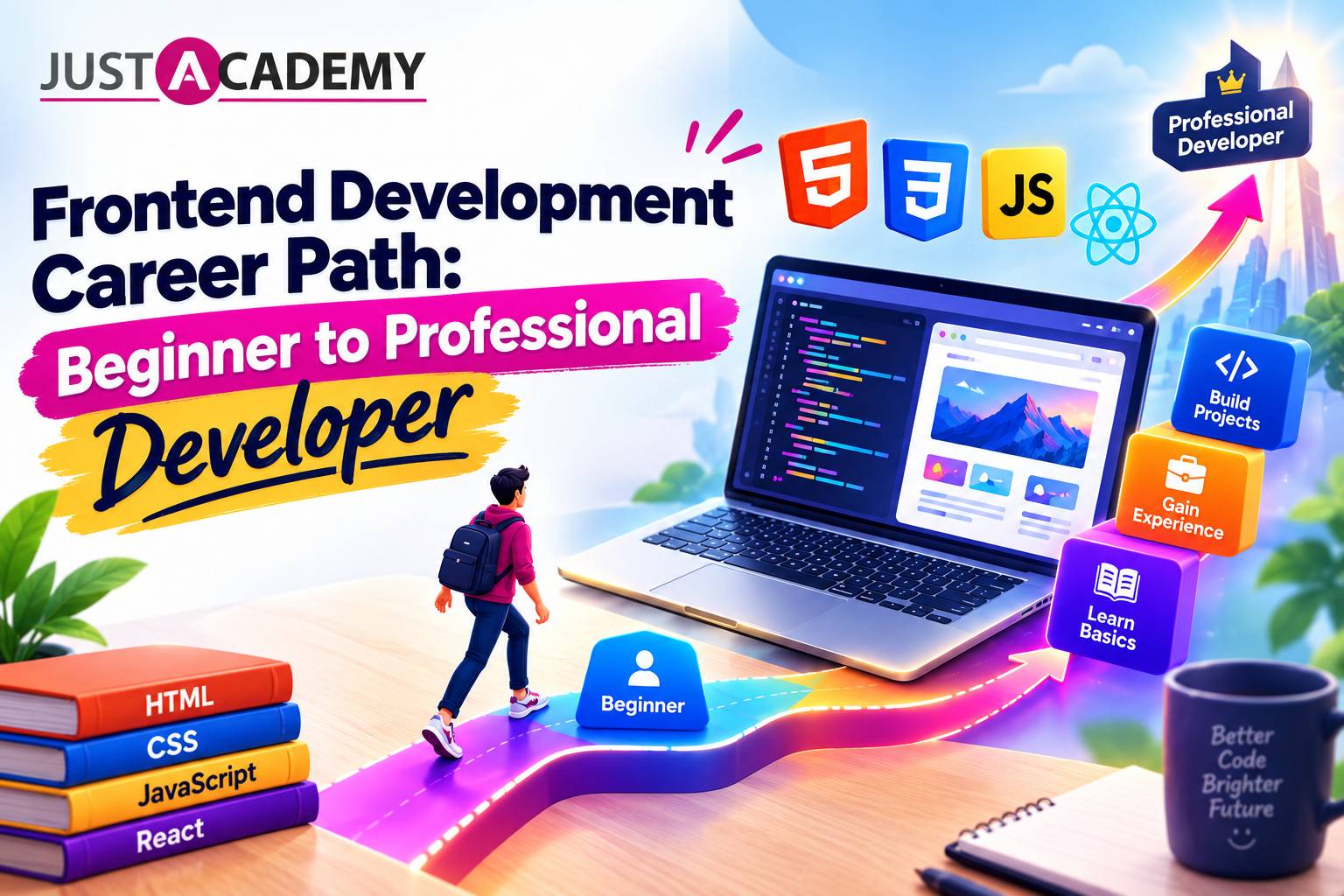
A practical, human guide for Delhi freshers and working professionals who want to walk into every technical, design and HR round with real confidence, backed by live interactive, instructor led and mentor led sessions.
A practical, honest guide to frontend developer skills, the roadmap that actually works, and how live instructor led and mentor led training can get you hired
A practical, no fluff guide to the front end developer skills Delhi employers test for, and how mentor led, live interactive training helps you build them.
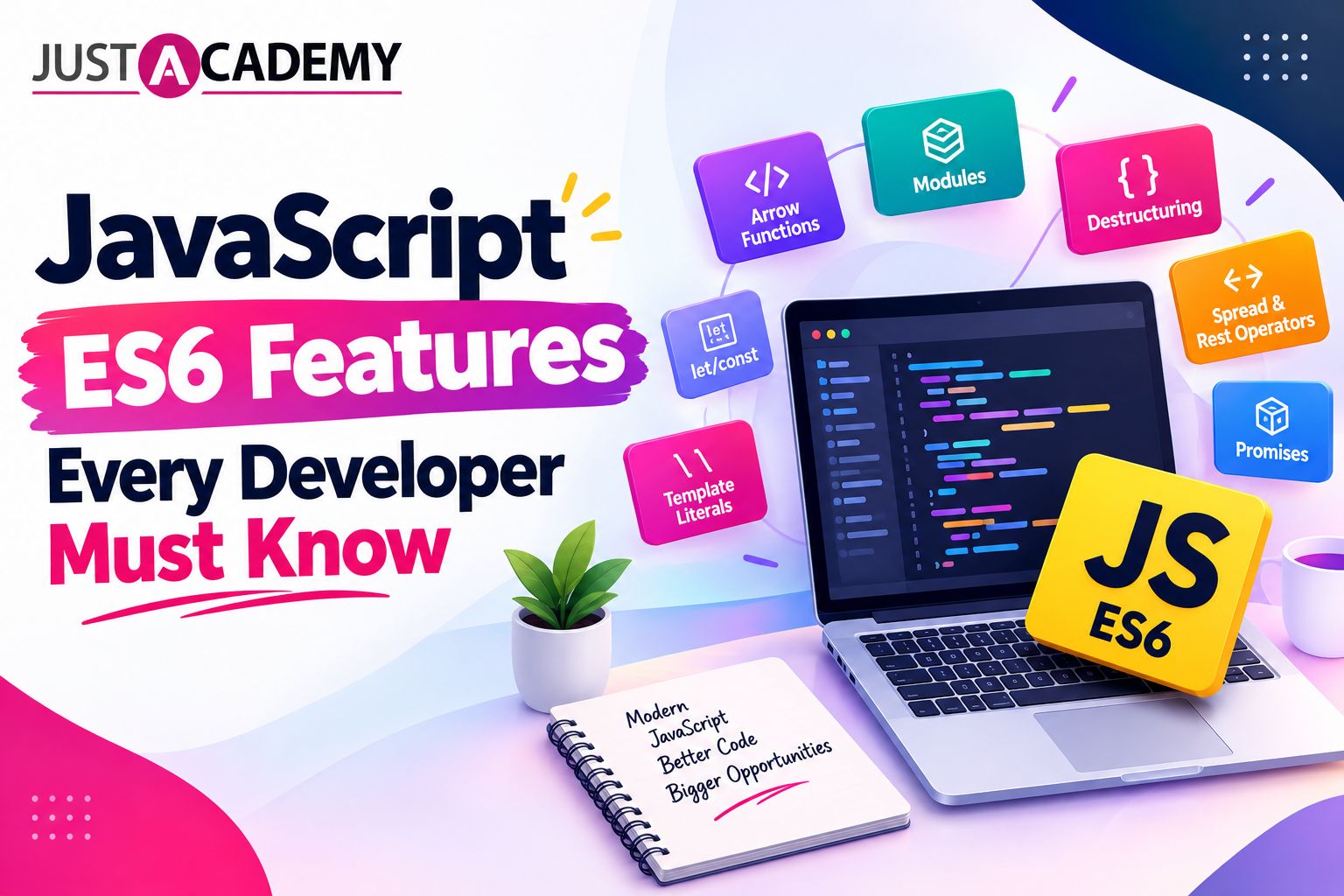
A practical, example driven guide to ES6 JavaScript for learners in Delhi who want to write modern code, think like a developer and get job ready with live instructor led and mentor led training
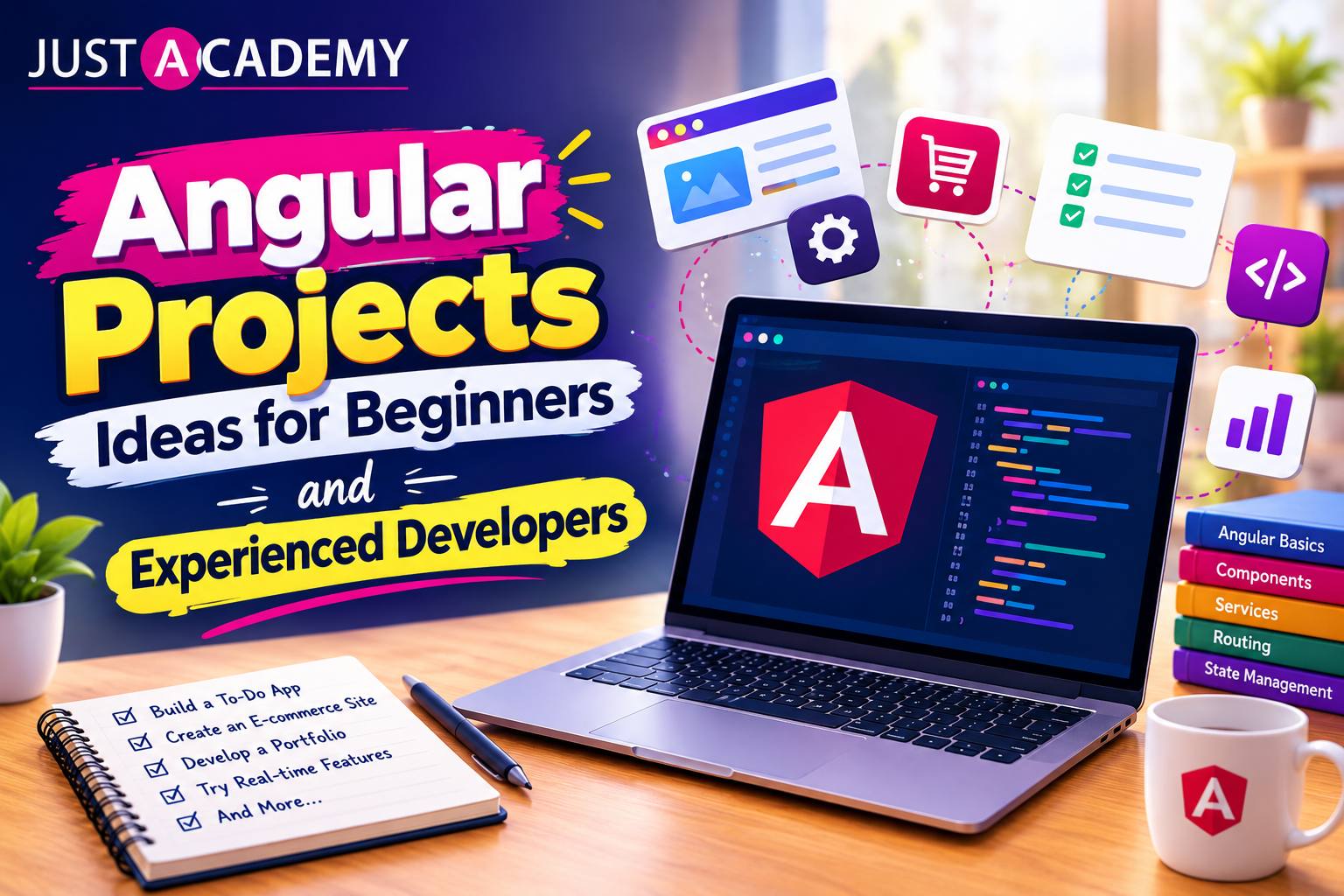
From your first Angular app to real time dashboards, here is a practical, mentor backed list of angular projects for practice, with source code thinking, live interactive sessions and placement support.
From a humble to do list to a Node JS backend, here are the javascript project ideas that actually teach you something and give recruiters a reason to click your GitHub link.
A straight talking guide for Delhi freshers, career switchers and non tech graduates on choosing the right IT certification, and why live interactive, instructor led and mentor led training makes the difference
A grounded, honest guide for Delhi learners on skills, salaries, jobs and the learning path behind each IT career, backed by live, instructor led and mentor led training
Drop us a Query
+91 99871 84296
Available 24x7 for your queries
Want To Connect with us
🚀 Kickstart Your IT Career
with JustAcademy
Learn Industry-Focused Courses with Live Projects & Placement Assistance
Full Stack Java(Java, Spring Boot, Hibernate, REST API, React JS)
Data Analytics(Excel, SQL, Power BI, Python, Tableau)